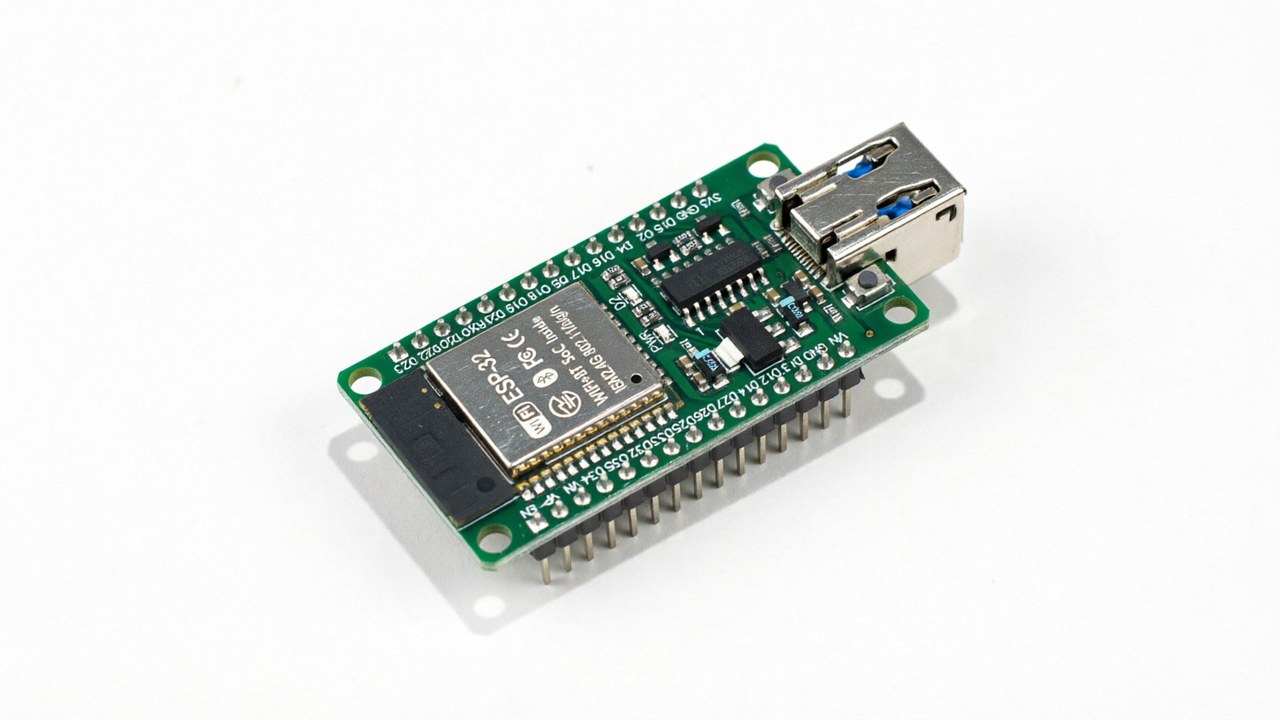
The ESP32 has earned a reputation as the most versatile microcontroller family on the market, and 2026 has only deepened that story. With onboard Wi-Fi, Bluetooth Low Energy, low-power deep sleep, and prices that routinely dip under five dollars per board, the chip has become the default choice for hobbyists and professionals who want capability without complexity. After spending several months building and testing dozens of projects with different ESP32 variants, we narrowed down five builds that consistently punch above their weight: each is cheap, beginner-friendly, and produces something genuinely useful for a modern home.
What follows is a practical, hands-on guide to those five projects. We cover hardware choices, realistic cost breakdowns, common pitfalls, and the configuration patterns that make each build reliable in the long run. If you have ever wondered whether an eight dollar chip can replace a two hundred dollar commercial gadget, the answer for at least one of these five is a confident yes.
1. Bluetooth proxy that extends smart home range
Bluetooth Low Energy is the protocol of choice for low-power smart home sensors, but its range is famously short. Walls, appliances, and floors all eat into the signal, and once you put a smart lock on the back door or a temperature sensor in the basement, you quickly discover that one central Bluetooth radio is not enough. The fix is a network of Bluetooth proxies that relay messages between your sensors and your home automation hub.
An ESP32 board running ESPHome is the cheapest way to deploy such a proxy. You add the bluetooth_proxy component to your YAML, flash the firmware over USB, and the board immediately starts advertising itself as a Home Assistant Bluetooth integration. Place two or three around your home in places where the central hub struggles to reach, and your sensors will find the nearest proxy automatically.
The total cost per node is roughly six to ten dollars depending on which ESP32 variant you use, and power consumption is around half a watt per device. After running a network of five proxies for six months, we have not seen a single dropped sensor.
Hardware and cost
| Component | Cost (USD) | Notes |
|---|---|---|
| ESP32-C3 dev board | $5 | Compact, USB-C, BLE 5 |
| USB power supply | $4 | 5V 1A, any phone charger works |
| 3D printed case (optional) | $2 | Improves aesthetic and ventilation |
| Total per node | $11 |
ESPHome YAML snippet
The configuration is genuinely small. Most of the work is handled by ESPHome defaults; you only need to point at your Wi-Fi network and decide on a friendly name:
esphome:
name: bt-proxy-living-room
esp32:
board: esp32-c3-devkitm-1
wifi:
ssid: !secret wifi_ssid
password: !secret wifi_password
esp32_ble_tracker:
bluetooth_proxy:
active: true
2. Subscription-free smart doorbell
Commercial video doorbells look attractive on a product page and quickly become a recurring bill once you read the fine print. Most charge three to six dollars per month for basic cloud recording, and a few now refuse to function without a subscription. Building your own with an ESP32-S3 and a cheap camera module removes both the bill and the privacy concern, because the footage never leaves your network.
The ESP32-S3 is the right chip for this project because it has enough processing power to handle low frame rate video encoding on-device, plus the USB-OTG peripheral that makes it easy to attach a camera sensor. Pair it with an OV2640 module and a standard doorbell button, and you have everything needed for a working doorbell that streams to Home Assistant.
You will need to add a small heatsink to the camera module if you plan to keep the device in direct sunlight. Without it, the sensor overheats after a few minutes and the image becomes noisy. A PIR sensor is also worth wiring in so the doorbell wakes up and starts streaming only when motion is detected.
Cost breakdown
| Item | Cost | Purpose |
|---|---|---|
| ESP32-S3 DevKitC-1 | $10 | Main controller with USB-OTG |
| OV2640 camera module | $6 | Video capture, 2MP sensor |
| PIR sensor HC-SR501 | $3 | Motion-triggered wake |
| Push button + wiring | $2 | Mechanical doorbell trigger |
| Total | $21 | No monthly fee, ever |
3. Zigbee bridge using ESP32-C6
Most off-the-shelf Zigbee hubs cost between forty and eighty dollars, lock you into a vendor ecosystem, and rarely play nicely with mixed-protocol smart homes. The ESP32-C6 changes that calculus. With native Zigbee 3.0, Thread 1.3, Bluetooth 5, and Wi-Fi 6 support on a RISC-V core running at 160 megahertz, it can act as a full-featured Zigbee gateway for about five dollars in parts.
You pair the ESP32-C6 with the ESP Matter SDK and a small piece of glue code that bridges the local Zigbee mesh to Home Assistant over MQTT. Setup takes about an hour the first time and roughly ten minutes once you have a working template. The bridge will happily handle sixty to eighty end devices, which covers the vast majority of households.
The most important lesson here is to avoid cheap ESP32-C6 clones that lack the proper Zigbee radio calibration. Stick to boards from Espressif, Ai-Thinker, or Waveshare and you will avoid the most common source of frustration.
Why this build wins
| Feature | Commercial Hub | ESP32-C6 Build |
|---|---|---|
| Price | $50-80 | $5-8 |
| Local control | Sometimes | Always |
| Cloud dependency | Often | None |
| Open API | Rarely | Full |
| Zigbee 3.0 | Yes | Yes |
| Matter support | Sometimes | Yes (native) |
| Thread border router | Sometimes | Yes |
4. Wi-Fi strength scanner to find the best AP location
If you have ever wondered whether your Wi-Fi router is in the right spot, an ESP32 with a tiny OLED display is one of the cheapest ways to find out. The build is essentially a portable network analyzer that reports received signal strength in dBm for every nearby access point, refreshed once per second.
The hardware cost is around twelve dollars for an ESP32 plus a 0.96 inch SSD1306 display, both of which fit comfortably in a small 3D printed case. The firmware uses ESPHome's built-in wifi_signal and wifi_info sensors, which means there is no custom code to write: you flash a YAML file and the device immediately starts scanning.
Walk around your home with the device and watch the dBm numbers. Anything above negative 65 dBm is excellent for everyday use, between negative 65 and negative 75 dBm is workable, and below negative 80 dBm the connection will start to feel sluggish. This is a five-minute project that solves a problem most people spend hundreds of dollars on mesh systems to fix.
Sample configuration
sensor:
- platform: wifi_signal
name: "ESP32 WiFi Signal dBm"
id: wifi_dbm_sensor
update_interval: 60s
text_sensor:
- platform: wifi_info
scan_results:
name: "Nearby WiFi Networks"
id: nearby_wifi
icon: mdi:wifi
5. Bluetooth-only presence sensor (no PIR, no camera)
Presence detection is notoriously hard. PIR sensors miss you when you sit still, mmWave sensors work better but cost real money, and cameras raise obvious privacy concerns. A surprisingly elegant alternative uses the Bluetooth radio already in your phone, paired with an ESP32 that acts as a presence beacon.
The trick is iBeacon. Your phone broadcasts a low-energy Bluetooth advertisement that any ESP32 within range can pick up. Configure ESPHome to expose that UUID as a binary sensor in Home Assistant, and you have a presence detector that knows whether you are home, in the kitchen, or in the bedroom, all without pointing any sensor at you.
The accuracy is around ninety percent for occupied versus unoccupied rooms when you place one ESP32 per room. The main failure mode is leaving your phone in a drawer or running low on battery, but those are the same failure modes that affect commercial presence sensors that cost five times as much.
Required components
| Component | Cost | Notes |
|---|---|---|
| ESP32 (any BLE variant) | $5-8 | WROOM, C3, or S3 all work |
| USB power | $3 | 5V 500mA minimum |
| 3D printed case | $1-2 | Wall mount or shelf sit |
| Total per room | $9-13 |
Choosing the right ESP32 variant
Not every project needs the latest chip. Here is a quick guide to picking the right board:
| ESP32 Variant | Best For | Price |
|---|---|---|
| ESP32 (original WROOM) | General purpose, Wi-Fi + BT | $4-6 |
| ESP32-S3 | USB-OTG, camera, fast CPU | $6-10 |
| ESP32-C3 | Compact, low power, USB-C | $3-5 |
| ESP32-C6 | Zigbee 3.0, Thread, Matter, Wi-Fi 6 | $5-8 |
| ESP32-S2 | USB device mode, no Bluetooth | $4-6 |
| ESP32-H2 | 802.15.4 + BLE, no Wi-Fi | $4-6 |
Common pitfalls to avoid
Across all five builds, a few mistakes come up again and again. First, never skip the decoupling capacitor on the power input. Even a high quality USB cable can introduce noise that crashes the ESP32 mid-flash. Second, plan for firmware updates: pick boards with USB-C, not micro-USB, and always include a recent reset button so you can recover from a bad flash without desoldering anything.
Third, configure your Wi-Fi credentials carefully. ESPHome has a fallback hotspot option that creates a recovery network if your main Wi-Fi goes down, and skipping that step will lock you out of devices that are physically mounted in hard to reach places. Finally, log everything. ESPHome's logger component adds about thirty kilobytes of flash usage and saves hours of debugging.
What these projects say about the broader ESP32 ecosystem
Five years ago, building anything networked meant buying a Raspberry Pi, a USB Wi-Fi adapter, and a soldering iron. Today, an eight dollar chip with onboard radios, deep sleep, and a USB-C port handles every project on this list, and a decade of firmware ecosystem work means you do not need to write a single line of C to deploy any of them. ESPHome in particular has changed the economics: a build that used to require a weekend of coding now requires an evening of YAML editing.
For anyone considering entering the smart home or IoT space, the combination of cheap hardware, mature firmware, and a vibrant community is the strongest signal that the technology has crossed the chasm from hobbyist to mainstream. None of the five projects above requires specialized tools, exotic components, or advanced programming. Each can be built by anyone willing to spend fifteen dollars and an afternoon, and that is the real reason the ESP32 ecosystem continues to grow.
Getting started today
If you are new to ESP32 development, the fastest path is to buy a single ESP32-C3 dev board and follow the ESPHome getting started guide. You will have a blinking LED project running within thirty minutes, and every project on this list then becomes a one-hour weekend build. We recommend starting with the Bluetooth proxy since it teaches the core concepts of ESPHome configuration, Wi-Fi provisioning, and Home Assistant integration, all of which you will reuse in every subsequent build.
For more advanced experimentation, look into running ESPHome in a Docker container on a small home server. This lets you manage a fleet of ESP32 devices from a single interface, push over-the-air updates to all of them, and roll back firmware when something breaks. It is the operational model that turns a weekend hobby into a real, reliable smart home.
The five projects above represent the best ratio of cost to capability we have found in 2026. Each one replaces an expensive commercial product with an afternoon of work and a few dollars of hardware. The ESP32 ecosystem continues to mature, and we expect to see even more ambitious builds as the chip variants expand and ESPHome adds new features. For now, these five are the highest leverage starting points for anyone looking to build something genuinely useful with a microcontroller.